In this week’s Data Diaries, let’s continue our series on the Citizen Analyst. Part 1 is available here.
So, what does a citizen analyst do? In short, they’re data analysts and data scientists that pick up causes or things they’re passionate about and use their skills to understand them better, then take action on the data. It’s essentially the same thing a data analyst or data scientist might do at work, just outside the office.
That in turn means the same skills needed for the office apply to the citizen analyst – the ability to know what data is available, how to work with it, and what to do with data to make it useful. All data analysis follows the same basic pattern; sometimes we call it ETL – extract, transform, load – but that’s a fancy way of saying get the data, work with the data, then do stuff with the data.
What powers this ability for the citizen analyst is two main skills:
- Knowing where the data is.
- Knowing how to get the data out of where it is.
Knowing where the data lives is what we call contextual thinking in the age of AI – context is everything. Where does data live that you’d want to analyze? For example, one of Trust Insights’ chosen charities we support is the Baypath Humane Society, a no-kill animal shelter in metrowest Boston.
Suppose we wanted to help Baypath understand when demand for pet adoption would increase or decrease over the year so they could staff appropriately and know when to spend scarce marketing dollars to increase adoptions. How would we go about doing this? We’d want to know when people in the area were most interested in pet adoption.
One of the challenges in being a citizen analyst is that you do NOT have access to internal data – if any even exists – for causes you care about. Thus, you need to find external, public data sources to fuel your inquiry. In the case of Baypath, we have data available from places like Google Trends or social media.
Here’s an example of what the Google Trends data might look like. Now enhanced with Gemini, it will help you find related searches in a much more intelligent want:
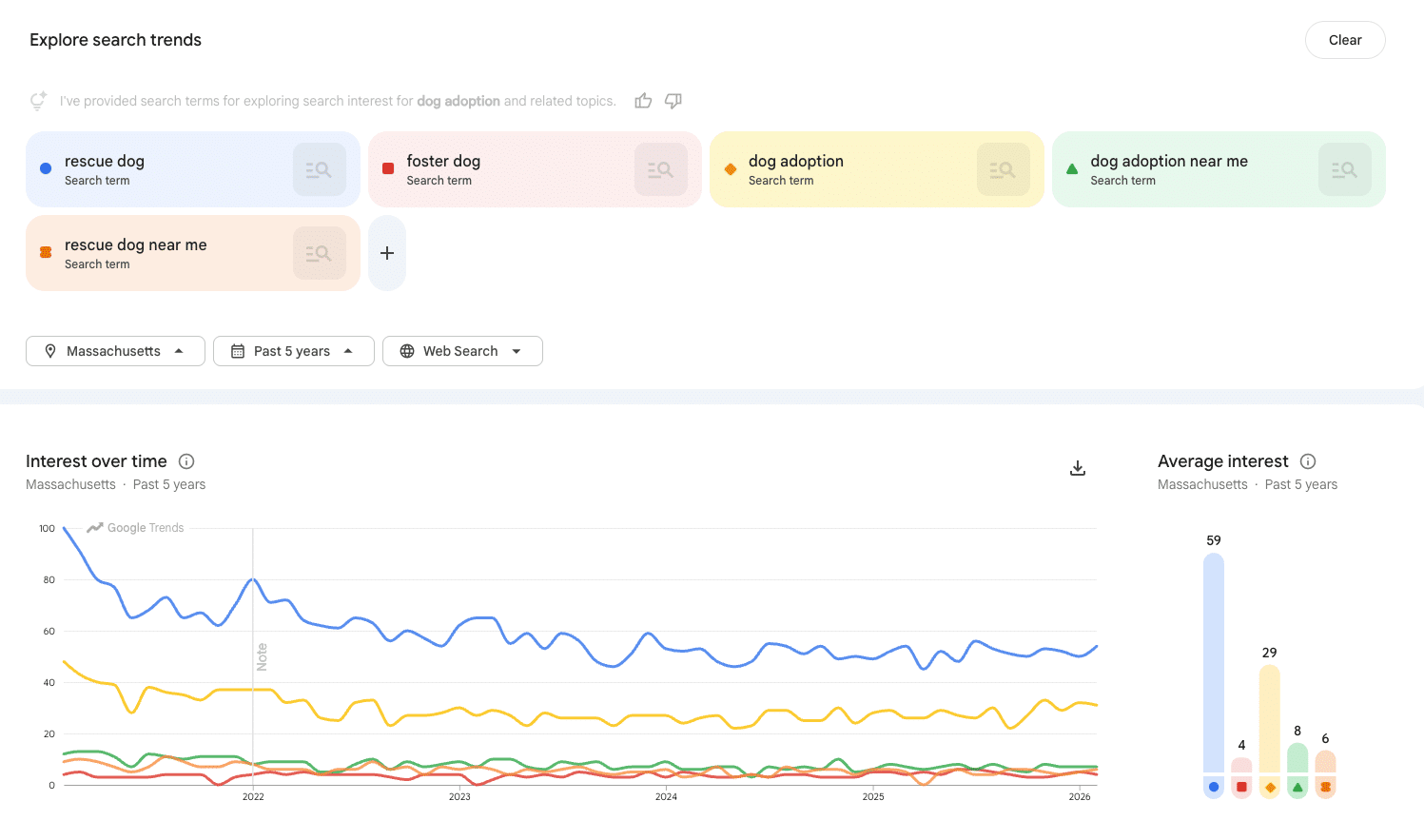
Once we find the data, we have to extract it. You’ll note a very, very tiny icon above the chart that allows you to export the data to a CSV file. Some software has this, others do not; when a software package doesn’t allow you to export a chart, generative AI can often infer it based on the chart itself (which is a fun little hack).
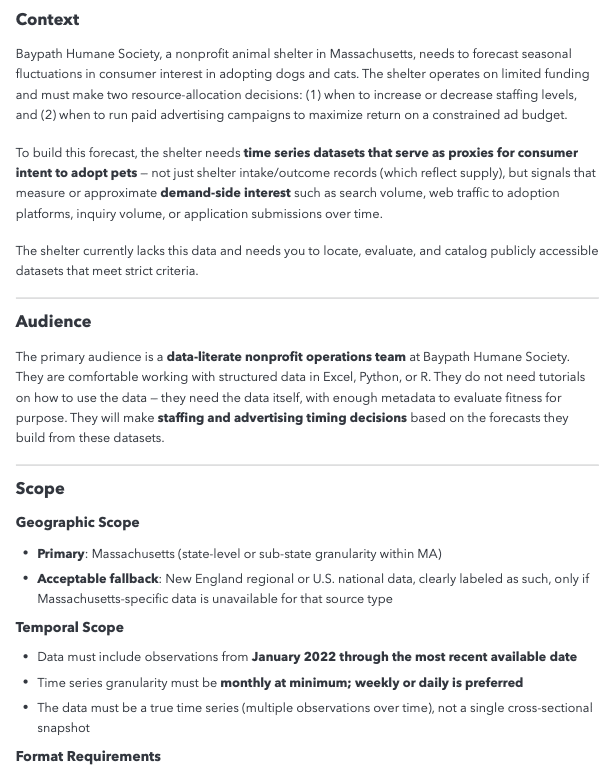
Another hack that’s super useful for the citizen analyst is to find the data itself with generative AI. Using deep research tools, we might give it a prompt like this, in the Trust Insights CASINO deep research framework (this is 1 of 4 pages):
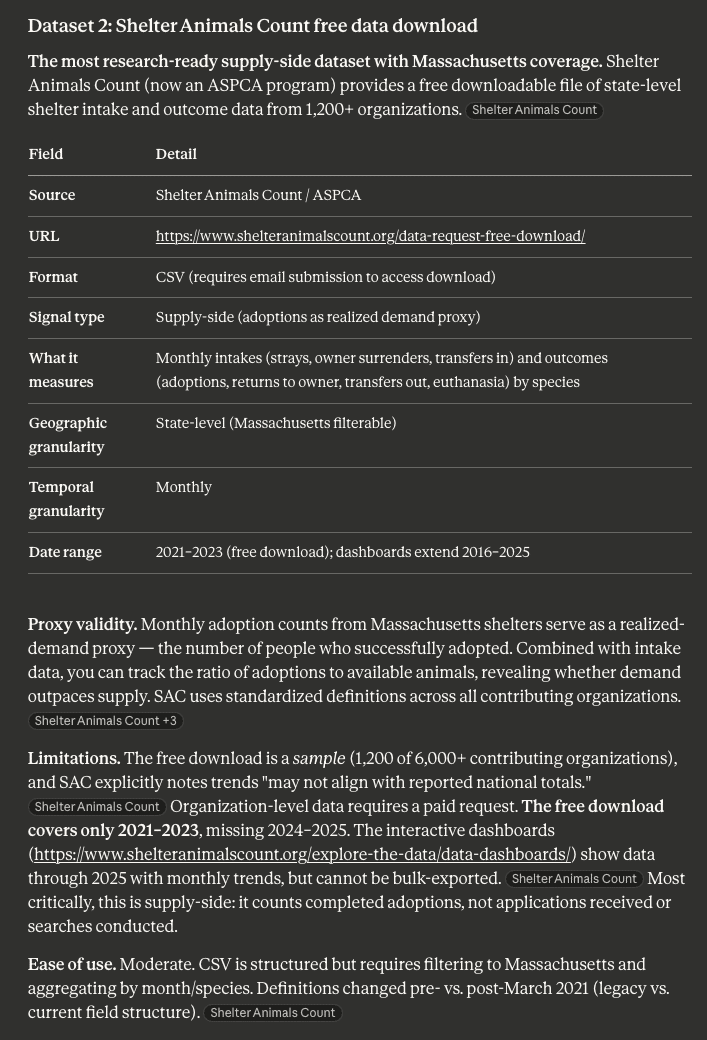
Once the research report completes, you’ll have lots of great options for additional data to obtain and extract. Here’s an example output:
Data in an unhelpful format? Use generative AI to write the necessary code in a language like Python to extract it to something useful and structured.
Next week, we’ll tackle phase 2: once you have the data, what does a citizen analyst do with it to turn it into useful insights?
 Newsletter
 Podcast




